


Is your Wi-Fi acting up? Here’s how to speed things up at home
4 Minute Read
Summary
- Slow internet is often caused by router placement, outdated equipment or too many devices.
- Wi-Fi speed can improve with central router placement, wired connections and bandwidth management.
- Restarting equipment, updating software and reviewing your plan help ensure reliable performance.
For many Canadians, internet access is no longer just a convenience. According to CIRA’s Canada’s Internet Factbook 2020, 56 per cent of Canadians say high-quality home internet access is critically important, while 75 per cent agree that reliable high-speed internet has become essential in their daily lives.
As more aspects of daily life move online, a reliable internet connection has become increasingly important. The good news is that when your connection isn't working as well as it should, the issue isn't always your service.
Here are some common causes of slower internet and what you can do to fix them.
What internet speed actually means
When it comes to internet speed, there's more to it than simply choosing the fastest plan available.
Internet speed is measured in megabits per second (Mbps). The higher the Mbps, the more information can move between the internet and your devices at one time.
That speed is usually measured in two ways: download speed and upload speed.
Download speed affects how quickly you can stream videos, load websites and download apps, while upload speed affects activities such as video calls, sharing photos and sending large files.
A speed test can also provide a snapshot of internet performance by showing the download and upload speeds available at that moment. The results can help you determine whether the connection is performing as expected.
Understanding Wi‑Fi bands

Not all Wi‑Fi signals work the same way. Most modern routers use different Wi‑Fi bands to balance speed and coverage throughout the home.
For example, the 2.4 GHz band can reach farther, making it a good option for devices that are farther from the router. The 5 GHz band is usually faster, but it works best at shorter distances.
As a result, Wi‑Fi may work well in one room but feel slower in another. Most modern routers automatically connect devices to the best available band, so there is usually no need to change any settings.
If Wi‑Fi coverage is inconsistent throughout the home, an older router may be part of the problem. Upgrading to a newer router can help improve performance and better handle multiple connected devices.
Why router placement matters more than you think
One of the most common causes of weak Wi‑Fi is where the router is located.
Wi‑Fi works best when there are as few obstacles as possible between your device and the router. If your router is tucked away in a basement corner, hidden behind furniture or placed inside a cabinet, the signal may not reach every part of your home.
Distance also affects performance. As the signal travels farther from the router, it naturally weakens, which can lead to slower speeds or dropped connections in rooms that are farther away.
For the best coverage, place your router in a central, elevated location, such as on a shelf on the main floor. Keep it away from thick walls, large appliances and materials such as metal or glass that can interfere with the signal. In larger homes, a mesh Wi‑Fi system or range extender may help improve coverage.
When a wired connection makes sense
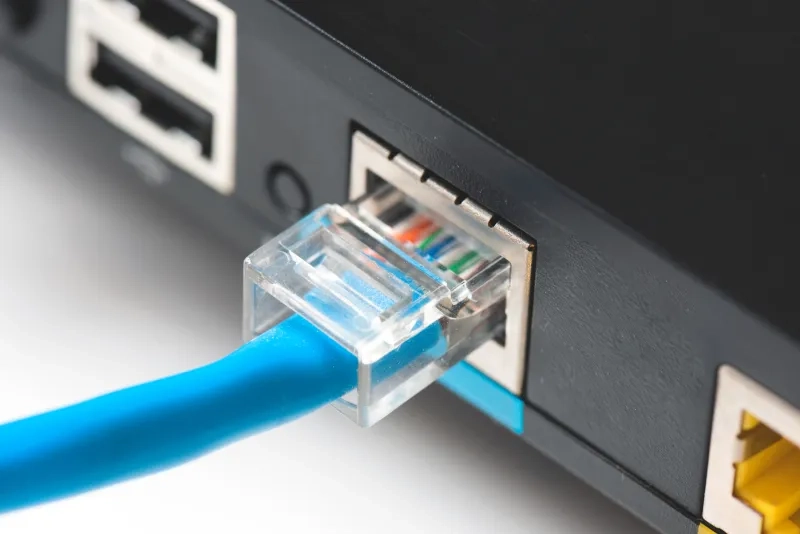
Most households rely on Wi‑Fi because it allows devices to connect from anywhere in the home. However, a wired Ethernet connection can provide a more stable connection for activities where interruptions can be frustrating.
Connecting a device directly to the router with an Ethernet cable can help reduce lag, buffering and connection interruptions, especially when multiple people are using the internet at the same time.
A wired connection is often most practical for devices that stay in one place, such as desktop computers, gaming consoles and home office setups. While it may not be necessary for every device, it can be a simple way to improve reliability where a strong connection matters most.
How household habits affect speed
Internet bandwidth is shared among all connected devices, so performance may suffer when several people are online at the same time, especially if they're downloading large files, watching high-definition video or using other bandwidth-heavy applications.
If you're noticing slowdowns, try limiting unnecessary internet activity on other devices while completing tasks that require a reliable connection.
Many internet providers also offer apps or online tools that show which devices are connected to the network, making it easier to identify devices that may be using more bandwidth than expected.
The value of a simple restart
Sometimes, a quick restart is all it takes to get things running smoothly again. Unplug your modem for about 30 seconds, then plug it back in. This simple step can help clear temporary glitches and restore your internet connection.
Most internet providers update modem software automatically, but it's worth checking your provider's website or app to make sure the software is up to date. Updates can help fix known issues and improve reliability.
It's also a good idea to check that all cables are securely connected. If problems continue, your provider may be able to test the modem remotely and arrange a replacement if needed.
When it’s time to review your plan
If internet issues continue after trying these fixes, it may be time to review the current internet plan. A provider can help determine if your current system or plan fits your needs.
For those considering a new plan, CAA Members can also take advantage of savings through Rogers. Members can save $25 per month or more on mobile, 10 per cent or more on internet and TV, plus save an additional $10 per month when you bundle your mobile with internet and TV.



